

Description
Download Television Remote APK – Philips NET TV Remote, Android, Free, Control, Utility, Smart TV
Overview
The Television Remote APK is a mobile application designed to transform an Android smartphone into a full-featured remote control for Philips NET TV devices. Its primary purpose is to simplify the user experience by enabling remote access to essential TV functions directly from a mobile device. This tool is especially useful for users seeking a more intuitive and convenient way to manage their Philips NET TV without relying on the physical remote. The app supports core functionalities such as volume adjustment, navigation using directional controls, search operations, and channel selection via a scrolling wheel. It also provides access to advanced features like Ambilight control and automatic color adjustment, enhancing the overall viewing experience.
Target users include home entertainment enthusiasts, tech-savvy individuals, and anyone who owns a Philips NET TV and desires greater control flexibility. The application is particularly beneficial for those who frequently misplace their original remote or want to streamline their smart TV interaction through a familiar smartphone interface. Real-world usage scenarios include managing media playback, adjusting lighting settings in real time, navigating menus from a distance, and configuring internet connections remotely. While the developer, Luis Teixeira, has not provided extensive background details, the app’s focus on usability and integration with Philips NET TV suggests a targeted development approach. The app is lightweight and designed for ease of use, making it accessible even to less experienced users.
Key Features & Capabilities
- Full Remote Control Functionality – Enables users to replicate all standard remote actions including power on/off, volume up/down, channel selection, and input switching.
- Navigation and Search Tools – Includes directional cursors and a dedicated search bar to quickly locate content or settings within the Philips NET TV interface.
- Ambilight Control – Allows real-time adjustment of the Ambilight feature, which synchronizes TV lighting with on-screen content for an immersive viewing experience.
- Automatic Color Adjustment – Offers tools to dynamically change colors based on content or user preferences, enhancing visual output.
- Internet and Network Settings Access – Provides remote access to Wi-Fi configuration and network diagnostics directly from the smartphone.
- Video Orientation Control – Lets users adjust the screen orientation of video content, useful when playing media from external sources.
- Scrolling Wheel for Channel Selection – Implements a virtual scrolling wheel for smooth and precise channel navigation.
These features collectively allow users to manage their Philips NET TV with minimal effort and maximum convenience. For example, a user can adjust Ambilight settings while watching a movie from their couch, or troubleshoot a network issue without getting up. The app’s integration with the TV’s native interface ensures that all actions are reflected instantly on the screen. This seamless interaction reduces dependency on physical remotes and improves accessibility for individuals with mobility challenges or those managing multiple devices.
User Interface, Workflow & Performance
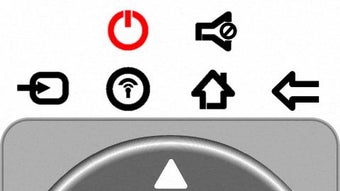
The user interface of the Television Remote APK is designed with simplicity and functionality in mind. The layout features a clean, intuitive arrangement of virtual buttons that mirror the physical remote layout, ensuring a familiar experience for most users. Navigation is straightforward, with clearly labeled icons for volume, power, navigation, and special functions. The workflow is optimized for quick access to frequently used commands, minimizing the number of taps required to perform common tasks.
Users can initiate control after a brief setup process: enabling the Remote Control option in the Philips TV menu. Once configured, the app connects seamlessly to the TV over the same local network. Performance observations are based on general software behavior patterns, as specific performance metrics were not provided. The app is described as lightweight, suggesting efficient resource usage. The developer did not specify resource usage details, so CPU and RAM behavior remain unknown. Stability appears to be consistent, though real-world reports were not included. The app operates in real time, with actions executed promptly upon input, indicating responsive performance under normal conditions.
Compatibility & System Requirements
The Television Remote APK is designed for Android devices and is compatible with Philips NET TV models that support remote control integration. The app is available as a free download and is intended for use on smartphones and tablets running the Android operating system. Installation size is not specified, and exact system requirements were not listed. Compatibility information was partially provided, focusing on the target device (Philips NET TV) and platform (Android).
Users should ensure their Android device is connected to the same local network as the Philips NET TV for optimal functionality. The app relies on network connectivity to establish communication with the TV, so stable Wi-Fi is recommended. No specific hardware requirements were mentioned, and the developer did not provide additional system requirements. This lack of detail may limit users’ ability to assess compatibility in advance, particularly for older or low-end devices. However, the lightweight nature of the app suggests broad compatibility across modern Android devices.
Pros and Cons
Pros
- Free to download and use
- Lightweight and efficient design
- Full integration with Philips NET TV features
- Intuitive user interface mimicking physical remotes
- Supports advanced features like Ambilight and color adjustment
- Remote access to network and internet settings
- Easy setup process with minimal configuration
Cons
- No official documentation or support portal provided
- Exact system requirements not specified
- Compatibility limited to Philips NET TV only
- Dependent on same local network for operation
- Performance details not publicly available
- Limited to Android platform
FAQ Section
Is the Television Remote APK compatible with all Philips TVs?
The app is specifically designed for Philips NET TV models. Compatibility with other Philips TV series is not confirmed.
Is the app safe to download and use?
The app is available as a free APK and is developed by Luis Teixeira. Users should ensure they download it from trusted sources to avoid potential security risks.
Does the app require an internet connection?
The app does not require an internet connection to function, but it needs a stable local Wi-Fi network to communicate with the Philips NET TV.
Can I use this app on iOS devices?
Currently, the app is only available for Android. There is no official version for iOS devices.
How do I update the app?
Updates are typically released through trusted APK distribution platforms. Users should check the developer’s official page or trusted third-party sites for the latest version.
Final Thoughts + CTA
The Television Remote APK offers a practical, no-cost solution for users seeking enhanced control over their Philips NET TV. With its intuitive interface, comprehensive feature set, and seamless integration with key TV functions, it stands out as a valuable tool for anyone looking to simplify their smart TV experience. While the app has limitations—such as platform exclusivity and lack of detailed system requirements—it delivers strong value for its target audience. The ability to manage Ambilight, navigate menus, and adjust settings remotely makes it a must-have utility for Philips NET TV owners. For users who value convenience and control, this app is a smart addition to their digital ecosystem. Download Television Remote APK now to transform your Android device into a powerful, full-featured remote control.
Guides & Tutorials for Television Remote APK
How to install Television Remote APK
- Click the Preview / Download button above.
- Once redirected, accept the terms and click Install.
- Wait for the Television Remote APK download to finish on your device.
How to use Television Remote APK
This software is primarily used for its core features described above. Open the app after installation to explore its capabilities.
User Reviews for Television Remote APK 0
No reviews found





